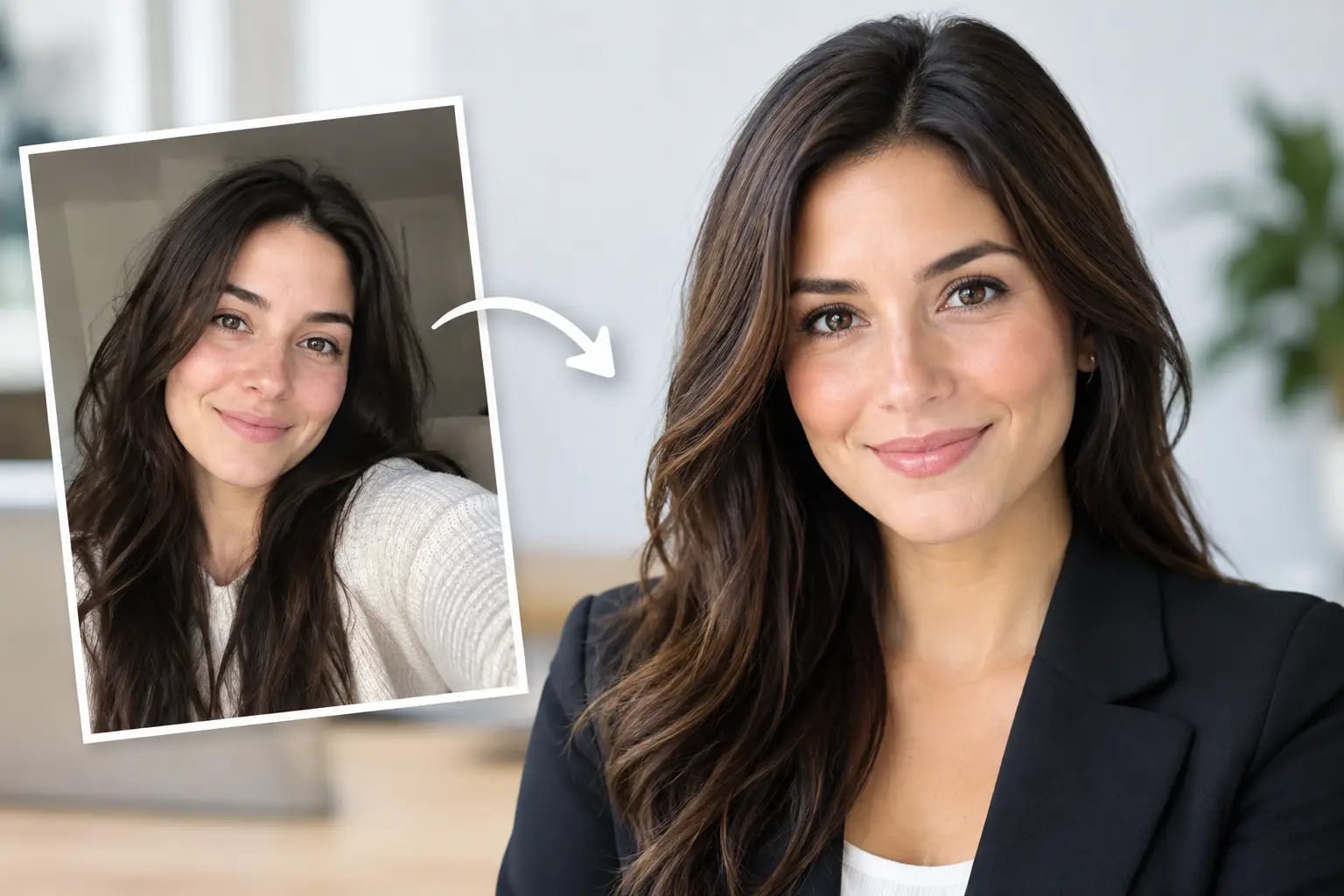
How to Choose a LinkedIn Headshot That Works

Your LinkedIn headshot is often viewed before your headline, experience, or recommendations. On a recruiter’s search results page, a client’s phone, or a company directory, it has one job: make you look credible, current, and easy to recognize. Knowing how to choose a LinkedIn headshot is less about finding the most glamorous photo and more about choosing the image that supports the professional opportunity in front of you.
A strong choice should feel like the polished version of the person someone will meet on a video call or in the office. If it looks impressive but does not look like you, it creates friction. If it is accurate but dim, dated, or casually cropped, it can undercut an otherwise strong profile.
Start With the Context People Will See
LinkedIn displays profile photos small, usually as a circular crop. That changes what matters. A photo that looks excellent full-screen can fail when reduced to a small icon: your face may be too far away, the background may compete for attention, or an overly subtle expression may disappear.
Choose a headshot where your face occupies most of the frame. Your eyes should be clear, your expression readable, and your shoulders visible enough to give the image structure. A head-and-shoulders composition is usually the safest choice for LinkedIn because it stays effective at both thumbnail and full-profile size.
Before committing, view the image at a small size. If you can immediately identify your face and read the expression, the crop is working. If the image becomes a blur of background, hair, or clothing, select a tighter version.
Choose a Photo That Matches Your Professional Direction
Your headshot does not need to imitate everyone else in your field. It should, however, make sense for the work you do and the work you want next.
A financial advisor, attorney, physician, or senior leader may benefit from a more formal wardrobe and a restrained studio-style backdrop. A consultant, startup operator, marketer, or real estate professional can often use a slightly more approachable look, such as smart business casual clothing and a brighter neutral setting. For a creative professional, personality can come through in color or styling, but your face should still remain the focal point.
The trade-off is simple: too formal can feel distant in a relationship-driven role, while too casual can look unprepared in a role where trust and authority are central. When in doubt, dress one step more polished than your typical workday, not three steps more formal. The goal is relevance, not costume.
Also consider where the photo will travel. The best LinkedIn image may later appear on a company website, speaker bio, résumé, press kit, or Microsoft Teams profile. A clean, professional headshot has more range than a heavily stylized image made for one platform.
Evaluate Lighting Before Anything Else
Good lighting is the fastest route to a professional-looking photo. It should make your face easy to see, preserve natural skin tone, and avoid harsh shadows under the eyes or chin.
Look for even light across both sides of your face. Window light can work well when you are facing the window, but direct sun often creates squinting and sharp contrast. Overhead room lighting alone tends to cast unflattering shadows. Studio lighting or a well-rendered professional portrait usually gives you a more balanced result.
Avoid a photo with a bright window, lamp, or outdoor sky directly behind you. Backlighting can turn your face into the darkest part of the image, which is the opposite of what a LinkedIn profile needs. If you have two similar options, choose the one where your eyes are brighter and clearer.
Color matters, too. Extremely warm or cool editing can make a photo feel artificial or dated. A good headshot should have natural color, controlled contrast, and enough detail that it still looks clean on a high-resolution screen.
Pick a Background That Supports, Not Competes
For LinkedIn, a simple background is usually the better choice. Neutral gray, warm white, soft blue, or a lightly blurred office environment can all work because they keep attention on your face.
Busy conference rooms, crowded events, vacation scenery, cars, restaurant tables, and group-photo crops introduce questions that do not help your profile. Even if the photo captures a great memory, it may not communicate professional focus. The same applies to background elements that appear to grow out of your head, such as plants, lamps, signs, or architectural lines.
A plain backdrop is not boring when the image is well-lit and well-composed. It gives the photo flexibility across different uses and avoids clashing with LinkedIn’s interface or your employer’s brand colors.
Look for a Natural, Intentional Expression
You do not need a broad smile to look approachable, and you do not need a serious expression to look authoritative. What matters is that your expression feels deliberate and believable.
For most professionals, a relaxed smile or calm, engaged expression performs well. Keep your eyes open and directed toward the camera. A slight angle through the shoulders can add dimension, but avoid a pose so dramatic that it distracts from your face.
Be careful with photos that feel overly edited, intensely posed, or emotionally flat. A polished image should still show normal facial texture and familiar features. If a colleague would hesitate to recognize you, it is not the right LinkedIn headshot, no matter how technically perfect it appears.
Check for the Details That Make a Photo Look Finished
Small issues are more visible than people expect. Before uploading, inspect the image beyond the first impression. Is the collar sitting correctly? Is hair neatly placed? Are glasses free of glare? Is the image sharp around the eyes? Does the crop leave enough space above your head without making you look distant?
For AI-generated headshots, these checks are especially important. Look closely at hands if they appear in frame, jewelry, eyeglass frames, teeth, clothing patterns, and the edges of hair. The strongest AI headshot should preserve your likeness while avoiding visual artifacts that make viewers pause.
This is where a quality-control workflow matters more than a large gallery of options. A useful system checks whether the source selfies are suitable, compares the output to your appearance, detects common artifacts, and helps you identify the image most appropriate for LinkedIn. Keeper Headshots, for example, grades completed portraits for likeness and polish so you can make a faster, more confident selection instead of guessing between near-identical versions.
How to Choose a LinkedIn Headshot From Several Good Options
When you have multiple strong photos, avoid choosing based only on which one makes you feel most photogenic. Use the role test: which image would make the right person feel comfortable contacting you about the opportunity you want?
Compare your finalists side by side at full size and thumbnail size. The best option usually has a clear face, natural expression, professional wardrobe, clean background, and realistic resemblance. If one image is more stylish but another feels more trustworthy and current, choose trustworthy.
It can also help to ask one or two people who know you professionally. Do not conduct a large poll. Too many opinions produce noise, especially when people are reacting to personal preferences instead of LinkedIn context. Ask a focused question: “Which photo looks most like me on a good professional day?”
Use the Right File and Keep It Current
Upload a high-resolution square image whenever possible. LinkedIn accepts several formats, but a clear JPEG or PNG with a square crop gives you the most control. Position your face near the center because LinkedIn applies a circular display crop.
Refresh your headshot when your appearance changes meaningfully, when you move into a new level of responsibility, or when your existing photo is more than a few years old and no longer reflects how you show up professionally. You do not need a new photo every season. You do need one that accurately represents you now.
The right LinkedIn headshot should not feel like a performance. It should make your profile easier to trust before the conversation begins - and leave people pleasantly unsurprised when they meet you.