Bulk AI Headshots for Teams That Look Consistent
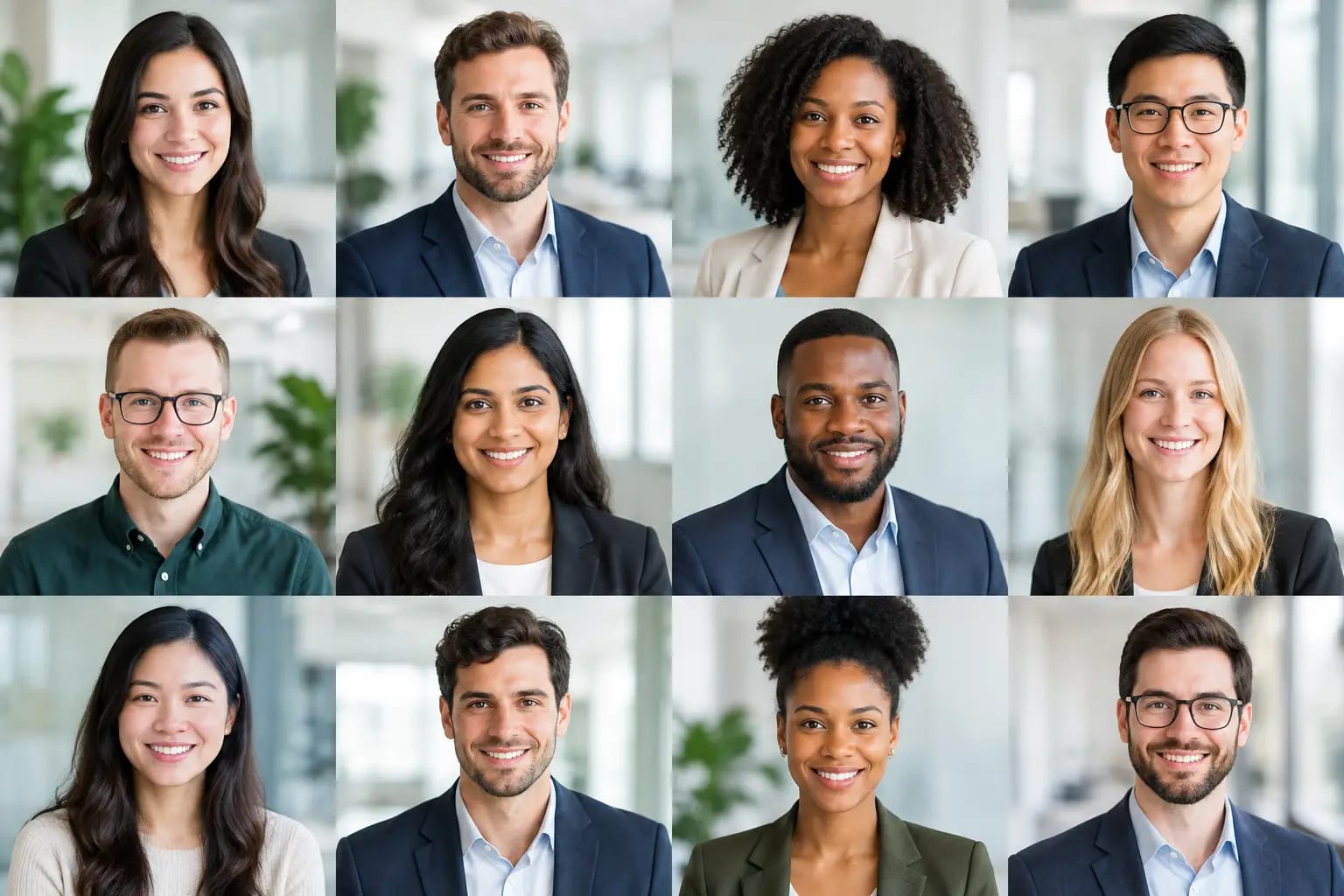
A company page can lose credibility one square at a time. One employee has a polished studio portrait, another has a dim vacation crop, and a third is missing entirely. Bulk AI headshots for teams solve that inconsistency without turning a simple brand update into a calendar-heavy photo day.
For HR, marketing, operations, and department leaders, the value is not just speed. It is control. Every employee needs a current photo that looks professional, feels like them, and works across the places where people decide whether to trust your organization: company websites, employee directories, LinkedIn, Microsoft Teams, speaker bios, and client-facing materials.
Why team headshots are harder than they appear
A traditional team photo project asks for more coordination than most teams expect. You need a photographer, a location or travel plan, appointment blocks, wardrobe guidance, reshoots, approvals, file delivery, and someone to follow up with the employees who missed their slot. If your team is hybrid, remote, distributed across offices, or growing quickly, the project can stretch for weeks.
The inconsistency problem remains even when a company manages to schedule a shoot. New hires arrive. Promotions change what someone needs to project. An employee may be absent, leave the business, or need an updated photo for a press opportunity. The directory starts to drift again.
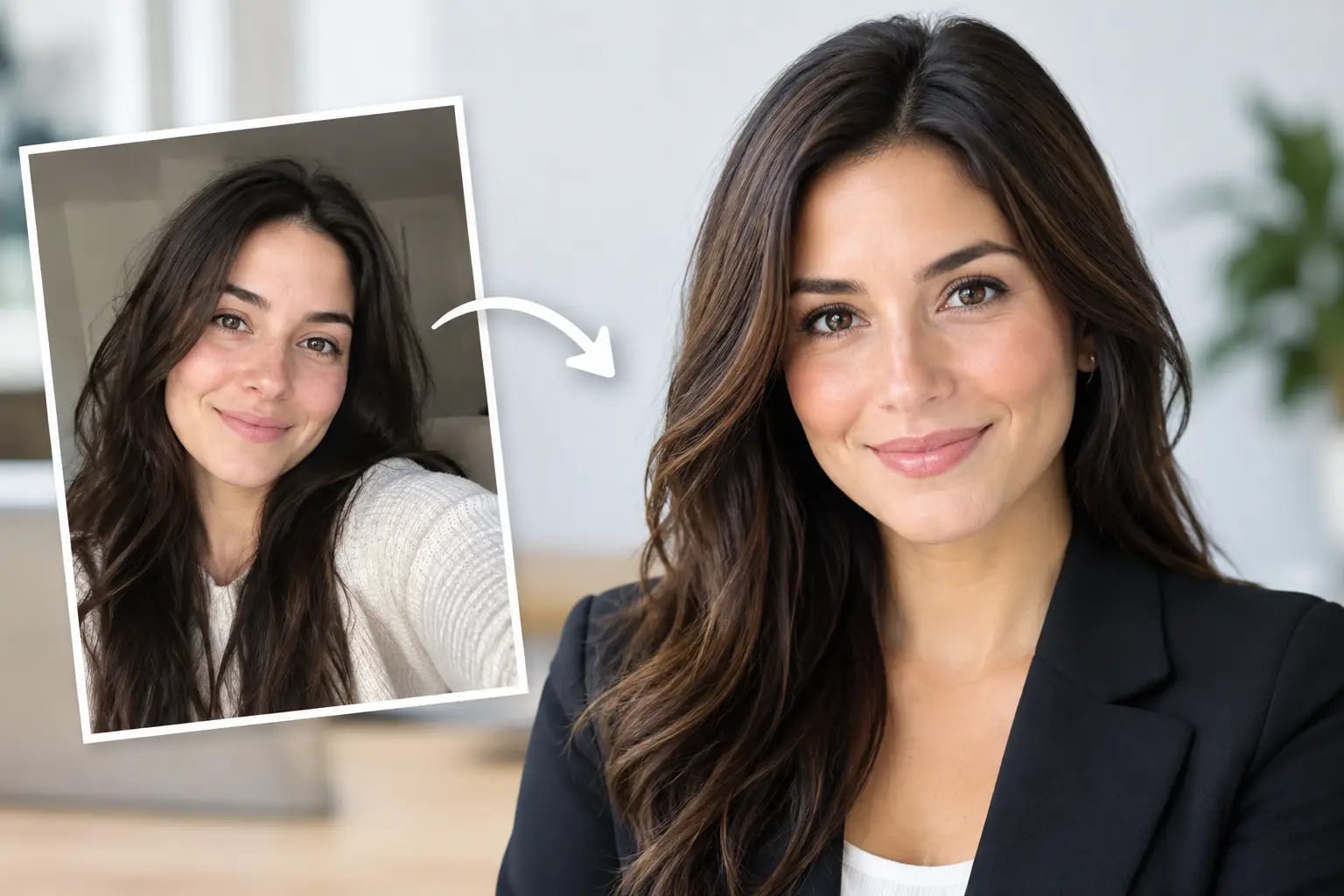
AI changes the production model. Instead of coordinating everyone in one place, you can set a consistent visual direction and let each person submit a small set of everyday selfies from wherever they are. The practical benefit is straightforward: a team can receive aligned, professional portraits without asking every employee to become available at the same time.
What good bulk AI headshots for teams should deliver
Not every AI portrait workflow is appropriate for a business directory. A team photo is not a place for experimental image generation, exaggerated styling, or a face that looks almost right. The standard should be a credible portrait that represents the actual person and supports the company brand.
That means a quality process starts before the image is made. Source-photo checks should flag selfies that are too dark, heavily filtered, blurry, poorly cropped, or taken at unhelpful angles. A clear upload standard gives employees a fair chance of getting a strong result on the first attempt.
The next requirement is visual consistency. Team members do not need identical clothing or the same expression. In fact, forcing identical results can look artificial. They do need compatible wardrobe choices, lighting, backgrounds, composition, and crop formats. A modern business casual portrait against a clean neutral background can feel unified while still leaving room for individual personality.
Finally, there needs to be a way to separate usable images from merely passable ones. Likeness verification helps confirm that the result still resembles the employee. Artifact detection can identify common problems around teeth, glasses, hands, jewelry, hairlines, and clothing details. A final image grade makes selection easier for the employee and the person managing the rollout.
Set the visual standard before inviting the team
The fastest team projects begin with a few decisions made centrally. Decide where the photos will appear first. A law firm website, a startup careers page, and a national sales organization may each need a different level of formality, but each should establish a clear direction.
Choose whether the team will use formal business attire, business casual clothing, or a role-specific standard. Match that choice to your existing brand rather than choosing the most formal option by default. A relaxed creative agency can look less credible when every employee suddenly appears in a suit. Likewise, a financial services firm may need a more polished wardrobe direction than a casual internal directory.
Backgrounds matter just as much. Neutral studio-style backdrops tend to work across websites, social profiles, media requests, and presentation slides. Branded colors can work well when used with restraint, but overly bold backdrops can compete with the person and limit where the image can be reused.
Write your guidance in plain language. Tell employees how many selfies to upload, which lighting conditions work best, and what to avoid. The goal is not to make them study photography. It is to prevent predictable issues, such as sunglasses, group photos, beauty filters, very old images, or photos taken in low light.
A practical rollout for AI team headshots
A strong process has three stages: prepare the team, collect approved source photos, and review finished portraits. The technology should reduce work at every stage rather than moving it onto the administrator.
1. Give employees a short, specific brief
Employees are more likely to participate when the request is clear and low-pressure. Explain the purpose of the update, show the intended wardrobe and background style, and provide a deadline that respects different schedules. Let them know that everyday selfies are acceptable if they meet the photo-quality guidance.
This is also the right moment to address the question most people will have but may not ask: “Will it still look like me?” A professional headshot should improve lighting, polish, and presentation, not replace someone’s identity. Make likeness review part of the stated standard.
2. Use quality checks before rendering
The most efficient time to catch a poor source image is before generation begins. An upload workflow that checks lighting, sharpness, framing, and face visibility can prompt an employee to replace a weak selfie immediately. That reduces avoidable retries and gives the project manager fewer exceptions to chase.
Keeper Headshots uses photo-quality checks before rendering, then applies likeness scoring and artifact detection to completed images. That structure matters for teams because it gives employees guidance early and gives administrators a clearer basis for approving the final set.
3. Review for fit, not just attractiveness
The best individual portrait is not always the best team portrait. During review, look at images together in a grid, close to the way they will appear on your website or directory. Check that face size, crop, background, and wardrobe formality feel consistent across roles.
Reviewers should also check whether the image fits the employee’s real-world use. An executive may need a portrait crop for a leadership page and a square version for LinkedIn. A speaker may benefit from a slightly wider crop that allows room for event layouts. Providing both portrait and square formats prevents last-minute cropping that cuts too close to the face.
Where teams save time, and where they should not rush
Bulk AI headshots can replace much of the scheduling and production burden of a studio session. There is no need to coordinate travel, reserve conference rooms, or wait for every employee to be physically present. This is especially useful for remote companies, new-hire batches, mergers, and fast-moving rebrands.
But not every situation calls for the same approach. A founder preparing for a major magazine feature may still want a custom editorial shoot. A luxury hospitality brand may need environmental portraits that show a specific property. A company with strict visual requirements may prefer a hybrid approach: use AI headshots for directory consistency and schedule photography for senior leadership or campaign assets.
The right question is not whether AI should replace every photographer. It is whether your current use case needs a dependable, professional headshot at scale. For employee directories and team pages, that answer is often yes.
Build a headshot system, not a one-time cleanup
A team-photo project becomes more valuable when it is designed to stay current. Keep the approved visual standard documented so new hires can receive a compatible portrait without reopening the entire project. Store the finished files in an organized location with clear naming, and keep portrait and square crops available for the channels your team uses most.
Set a simple refresh policy as well. Employees may need an updated headshot after a major appearance change, a new senior role, or a few years of tenure. Rather than letting profiles age quietly, make headshot updates a normal part of onboarding and career progression.
A consistent team gallery does more than make a website look organized. It signals that your company pays attention to details, respects the people representing it, and makes it easy for clients and candidates to recognize the humans behind the work. Start with a visual standard your team can actually maintain, then make the update process easy enough that no one puts it off.