AI Headshots for Job Seekers That Get Noticed

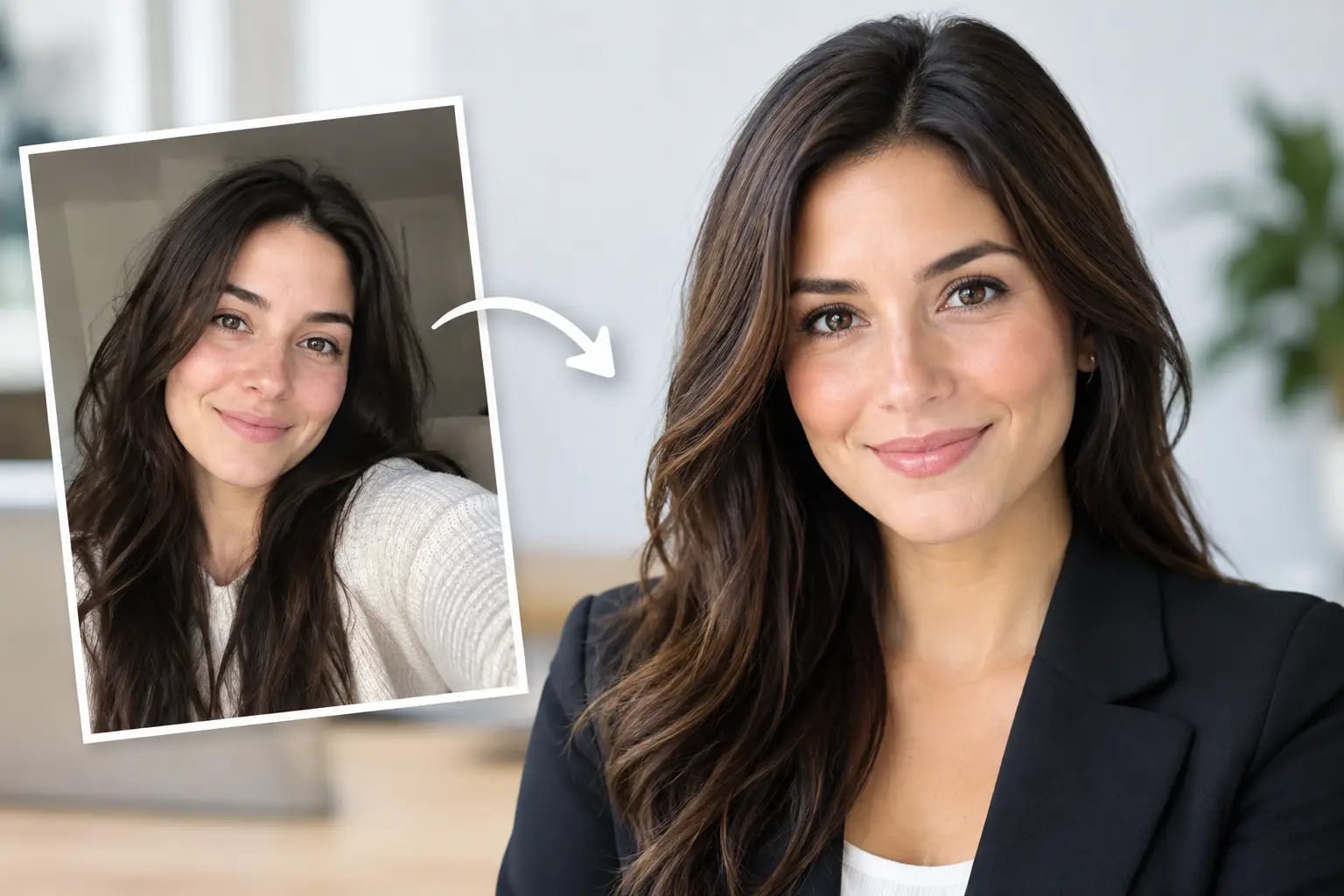
A hiring manager may scan your LinkedIn profile before reading a second line of your résumé. In that moment, your photo is not meant to win the job on its own. It is meant to make your profile feel current, credible, and easy to trust. That is why AI headshots for job seekers have become a practical option for professionals who need a polished image without waiting weeks for a studio appointment.
The key word is polished, not invented. A useful AI headshot should look recognizably like you on a normal, well-rested day - with better lighting, an appropriate wardrobe, and a background that does not compete with your face. When it does, it helps remove one small but meaningful question from a recruiter’s mind: Is this person ready to represent themselves professionally?
What a Job-Search Headshot Needs to Do
A strong headshot is not about looking overly formal or unusually photogenic. It needs to fit the context where someone encounters it. On LinkedIn, it should be clear at a small size. On a company bio or speaker page, it should feel composed enough to sit beside other professional profiles. In a Teams account or networking directory, it should help colleagues recognize you quickly.
For most job seekers, that means a head-and-shoulders composition, direct or slightly angled eye contact, even lighting, and a calm expression. The background should be simple. Clothing should look like something you might reasonably wear to meet a hiring manager in your field.
The right level of formality depends on the role. A candidate pursuing a law, finance, or executive position may benefit from a blazer and a clean neutral backdrop. Someone applying in design, technology, or a growing startup may choose a refined business-casual look instead. Neither choice is inherently better. The image should signal judgment, not costume.
Why a Current Photo Carries More Weight Than You Think
Many professionals use an old cropped event photo because it is the only decent image they have. Others skip a photo altogether, especially if they dislike being photographed. Both choices are understandable, but a dated or casual image can create friction at exactly the point where you want your application materials to feel coherent.
A current professional photo connects your LinkedIn profile, résumé, portfolio, and interview presence. It tells a consistent story: the person who applied is the person who shows up. That consistency matters most in relationship-driven hiring, client-facing roles, leadership searches, and referrals, but it helps nearly everywhere.
It is also a matter of practical visibility. Profiles with clear photos are easier for recruiters, former colleagues, and referral partners to identify in a crowded search result. A headshot will not compensate for a weak résumé or an unfocused search. It can, however, ensure your personal presentation is not the least finished part of your candidacy.
AI Headshots for Job Seekers: What Makes Them Credible
AI can make a professional headshot more accessible, but the output quality varies dramatically. Generic image generators can produce attractive portraits that do not quite look like the customer. The face may be subtly altered, teeth may look artificial, fingers and jewelry may contain artifacts, or the clothing may have details no one would wear in real life.
For job seekers, those small errors are not trivial. A photo that looks synthetic can undermine the confidence it was meant to create. The standard should be straightforward: if a former coworker sees the image, they should recognize you immediately.
A dependable AI headshot process starts with the source photos. Clear, recent selfies with varied angles and natural expressions give the system a better reference for your actual facial features. A quality check before rendering can identify photos that are too dark, heavily filtered, blurry, or poorly framed. Catching these issues early prevents disappointing results later.
The next safeguard is likeness verification. Rather than selecting an image solely because the lighting looks good, look for a process that evaluates whether the generated result resembles the photos you provided. Artifact detection matters too. It helps flag visual problems in hair, skin texture, eyewear, clothing, and background edges before you put the image on a public profile.
Keeper Headshots is designed around those checks: users upload one to six everyday selfies, choose professional wardrobe and backdrop styles, and receive portraits that are checked for likeness and artifacts, with a recommendation for the strongest final image. That is a more useful workflow than receiving a gallery of options and having to guess which one is safe to use.
How to Prepare Your Source Photos
The fastest way to get a better result is to use better inputs. You do not need professional photography equipment or a perfect setting. You do need images that accurately show your face.
Choose recent selfies taken in natural window light or a well-lit room. Keep your face unobstructed, remove sunglasses and hats, and avoid beauty filters or heavy editing. Include a few angles and expressions, but do not use photos where your face is tiny in the frame. If you normally wear glasses and expect to wear them in interviews, include at least one clear photo with them.
Avoid group photos, images with harsh shadows across your face, and shots taken from far below your chin. Also avoid using only highly posed vacation photos. The goal is not to teach the system how you look under perfect travel lighting. It is to provide an honest, useful reference of your everyday appearance.
Choose a look that matches the role
Before you select styles, consider where you are applying. A polished navy blazer, solid shirt, and neutral studio background will work across most corporate settings. It is a safe default for LinkedIn, corporate bios, consulting profiles, and management roles.
If your industry has a more relaxed visual culture, use business casual with the same restraint. A clean sweater, open-collar shirt, or tailored blouse can look confident without feeling stiff. Skip loud patterns, novelty accessories, and backgrounds that look more like a social-media portrait than a professional profile.
Selecting the Right Final Image
Receiving multiple headshots can create a new problem: which one should you actually use? Choose based on usefulness, not novelty. The most memorable image is not always the most credible one.
Start by viewing each option at the size it will appear on LinkedIn. Can you clearly see your eyes? Does the crop leave enough room around your head and shoulders? Does the expression feel approachable and composed? If the image only works when enlarged, it may not be the right primary profile photo.
Then look for accuracy. Compare the candidate image with a recent casual photo of yourself. Pay attention to face shape, smile, hairline, skin tone, and glasses. A minor amount of polish is expected. A version of you that friends would not recognize is not.
Finally, consider format. LinkedIn and most professional directories favor a square crop, while speaker bios, company websites, and press materials may need a portrait-oriented version. Having both available prevents last-minute cropping that cuts too close to your face or weakens the composition.
When a Traditional Photographer May Still Be the Better Choice
AI headshots are especially useful when you need a credible profile image quickly, want privacy and convenience, or need several professional style options without a full shoot. They are also a sensible choice when a traditional session is outside your current budget.
A photographer may still be the better fit if you need environmental portraits at your workplace, editorial images with a specific creative direction, or photos for a high-visibility campaign. The same is true if your personal brand depends heavily on a distinctive location, wardrobe, or visual concept.
For the standard job-search need - a current, professional, versatile image for LinkedIn and application materials - the trade-off usually favors speed and consistency. The best choice is the one that gives you a photo you will confidently use now, rather than an ideal shoot you keep postponing.
Your headshot does not need to make you look like someone else. It should make the professional you already are easier to see - clearly, confidently, and at the moment an opportunity arrives.